
Description
CW Password Vault — Secure Password Management for Windows
New release – Beta
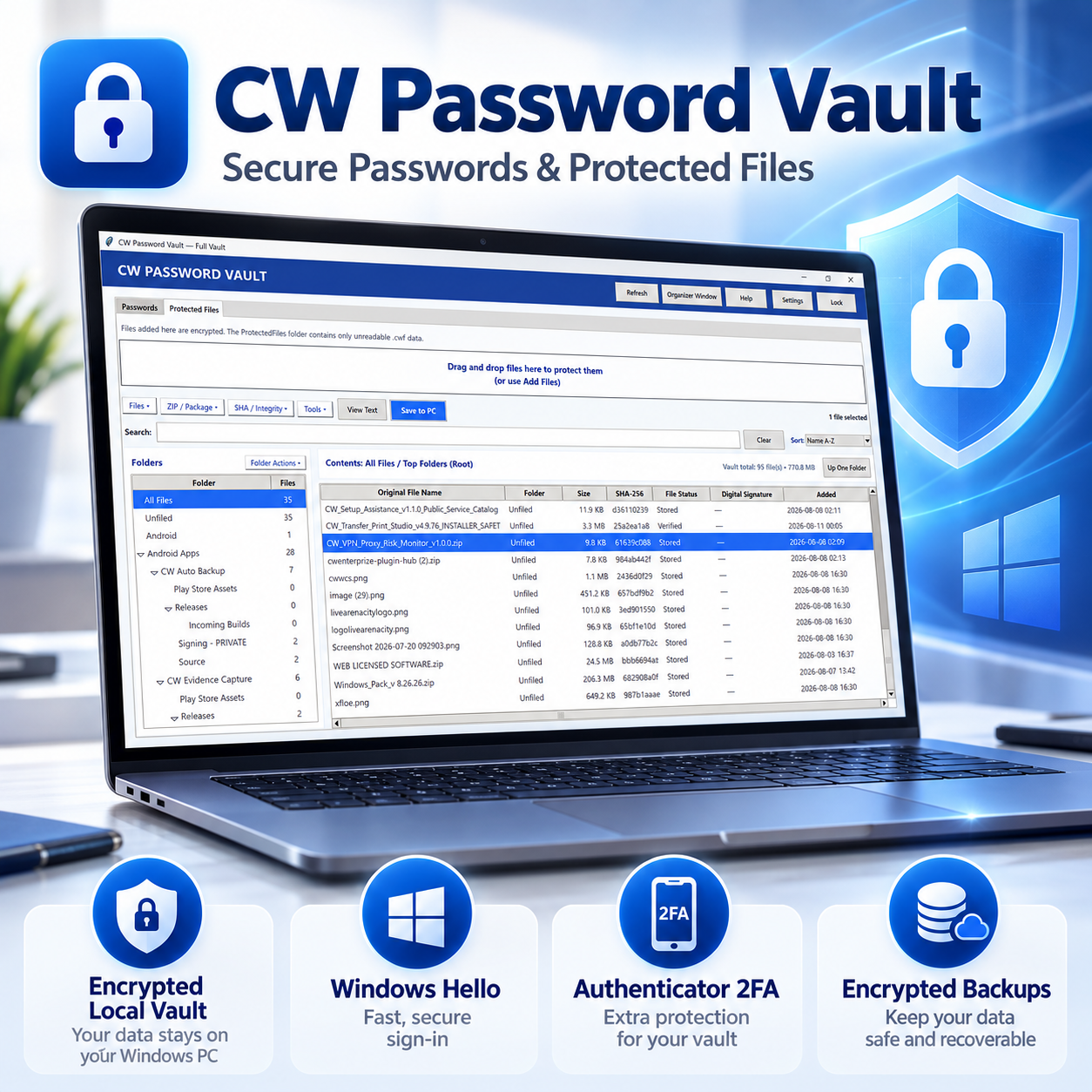
Keep your passwords, account information, and important files protected in one convenient Windows desktop vault.
CW Password Vault is a privacy-focused, local-first password manager designed to give you control over your sensitive information without requiring you to store your vault in the cloud. Save website logins, usernames, passwords, notes, and other account details inside an encrypted vault protected by multiple security options.
Key Features
- Encrypted local password vault
- AES-256-GCM encryption
- Master Password protection
- Separate 6-digit Vault PIN for everyday access
- Optional Windows Hello authentication
- Optional Authenticator 2FA (TOTP)
- One-time recovery codes
- Built-in password generator
- Add, edit, organize, search, and favorite saved accounts
- Secure password copy with automatic clipboard clearing
- Automatic vault locking after inactivity
- Lock protection when Windows locks, sleeps, or resumes
- Encrypted password backups
- Full Vault Backup for passwords, vault information, and Protected Files
- Backup and restore using USB drives or other storage
- Protected Files for securely storing encrypted documents and other files
- SHA-256 integrity checking
- Windows digital-signature inspection for supported files
- Optional Chrome/Edge browser integration
- Ability to hide CW Vault website helper buttons when not needed
- Built-in Help & Troubleshooting Guide
- Designed to work from a Standard Windows user account
- Customer-friendly NSIS Windows installer
Your Data Stays Under Your Control
CW Password Vault is designed around local storage. Your vault remains on your Windows account unless you choose to create, transfer, or restore an encrypted backup.
Authenticator secrets are encrypted, and recovery codes are stored securely as hashes rather than readable text.
Encrypted Backups
Create an Encrypted Backup (.cwvaultbackup) of your password entries for safekeeping or transfer to compatible CW Password Vault software.
For a more complete backup, use Full Vault Backup (.cwbackup), which can include your password data, vault metadata, and Protected Files.
Extra Security When You Want It
Enable Authenticator 2FA to require a rotating security code in addition to your PIN or master password. CW Password Vault also supports Windows Hello on compatible systems.
Built for Everyday Windows Use
CW Password Vault can be installed and used from a regular Windows account without requiring administrator privileges for normal everyday operation.



Reviews
There are no reviews yet.