
Description
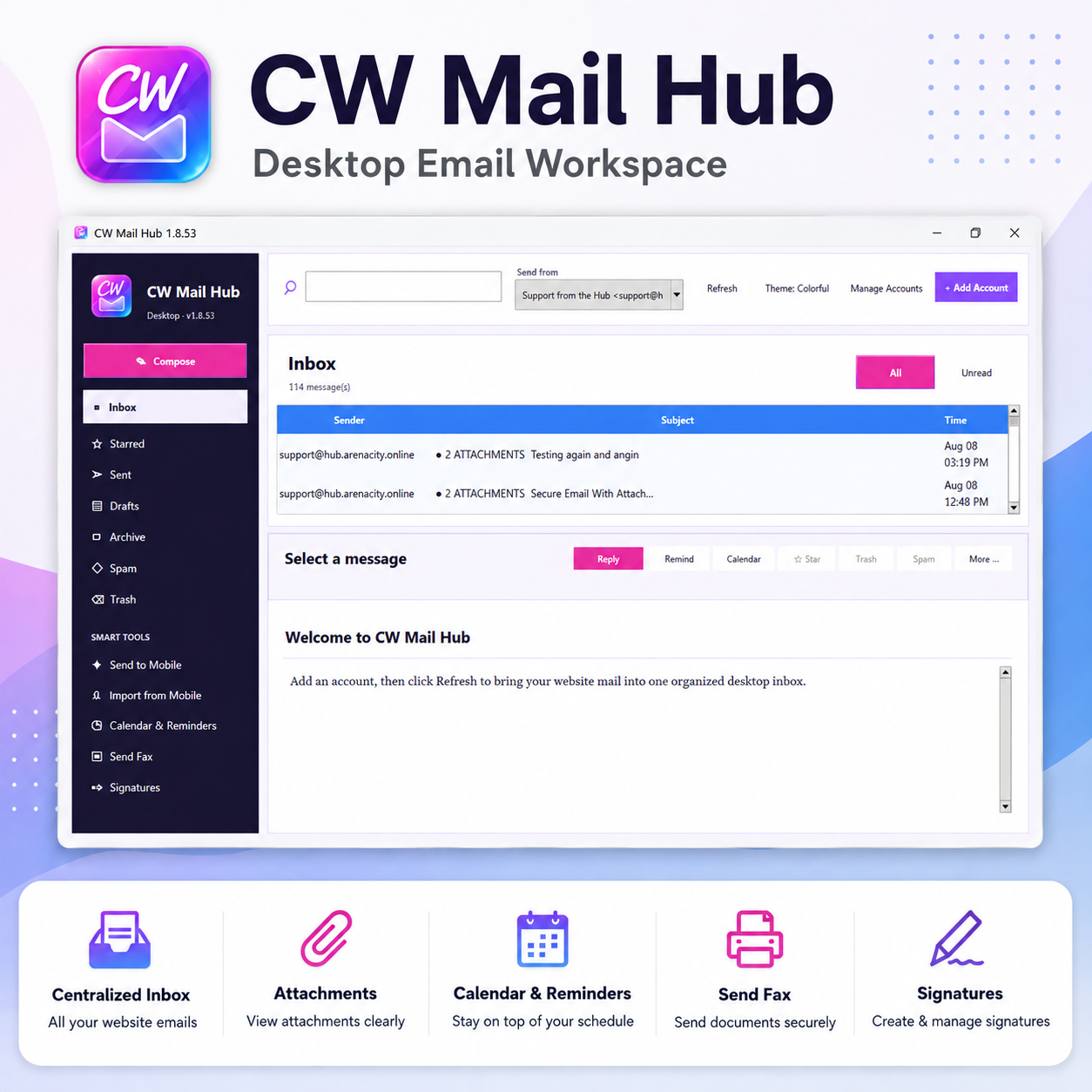
CW Mail Hub is a desktop email workspace for managing your existing email mailboxes in one place.
CW Mail Hub
- Android App included and is in Beta testing (Iphone to come later.)
- Manage multiple existing email mailboxes in one desktop app
- Connect mailboxes from your email provider, website host, domain provider, cPanel, or compatible mail service
- IMAP and SMTP email support
- Send and receive email
- Inbox, Sent, Drafts, Starred, Archive, Spam, and Trash folders
- Search messages
- Unread message filtering
- Message previews
- Reply and message management tools
- Multiple sender/account selection
- Secure Email with password-protected encrypted ZIP delivery
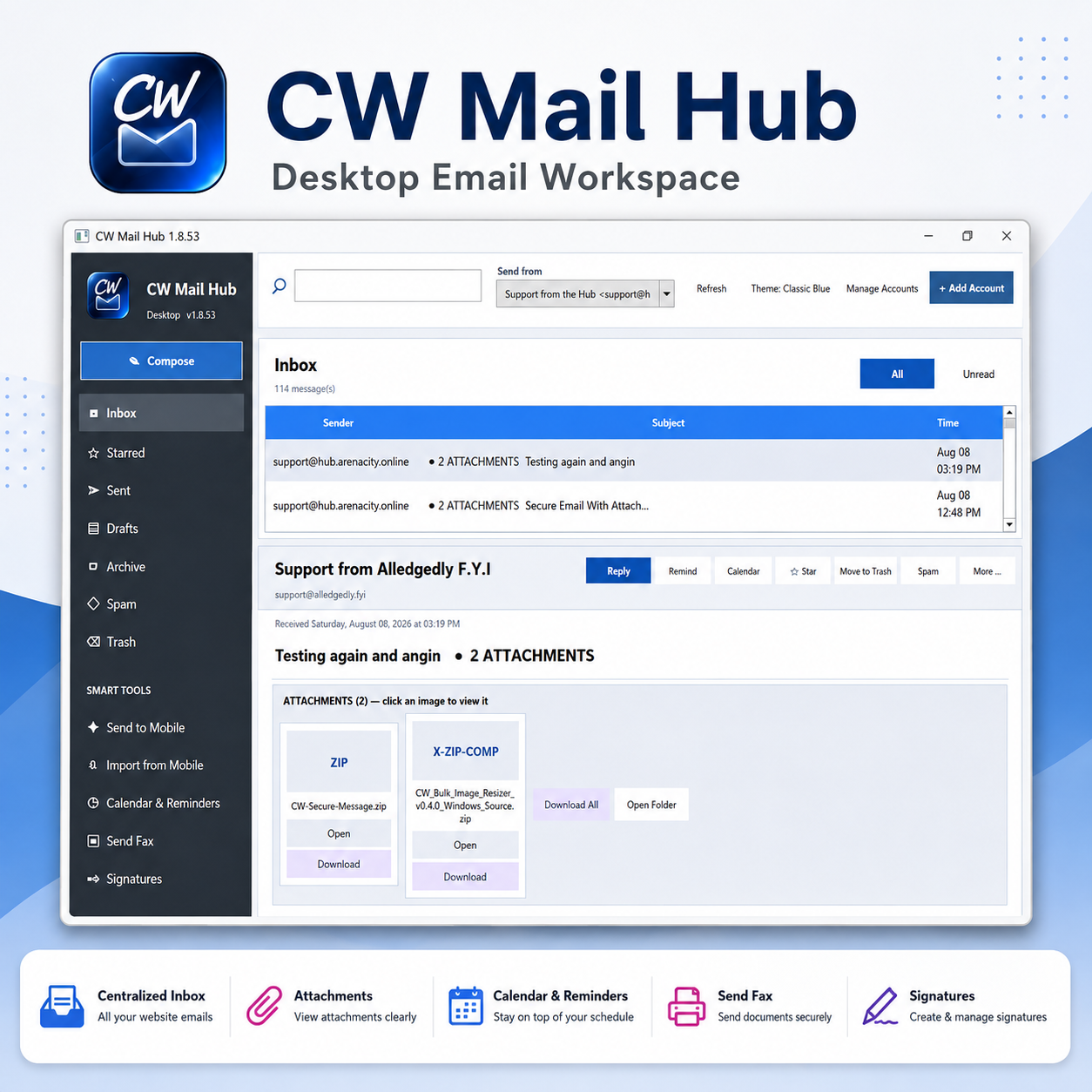
- Regular file and image attachments
- Image attachment previews
- Open attachments
- Download individual attachments
- Download all attachments
- Clear attachment counts and indicators
- Multiple saved email signatures
- Signature logos
- Bold, italic, cursive, and regular signature formatting
- Automatic signature for new messages
- Automatic signature for replies and forwards
- Use one shared signature across all mailboxes
- Allow individual mailbox signature overrides
- Undo accidental signature deletion
- Calendar & Reminders
- Create reminders
- Edit and reschedule reminders
- Delete individual reminders
- Delete all Mail Hub reminders
- Export calendar events as
.ics - Send files/messages to mobile
- Import from mobile
- Send Fax through a compatible email-to-fax provider
- Shipping-label assistance
- Account connection testing
- Add and manage multiple email accounts
- Colorful CW theme
- Gray / Classic Blue theme
- Dark gray sidebar option with white navigation text
- Local desktop-focused account settings
Important: CW Mail Hub does not create or host email accounts. Customers must already have a mailbox through their own mail provider or hosting service and add those mailbox credentials to CW Mail Hub.

Reviews
There are no reviews yet.