
Description
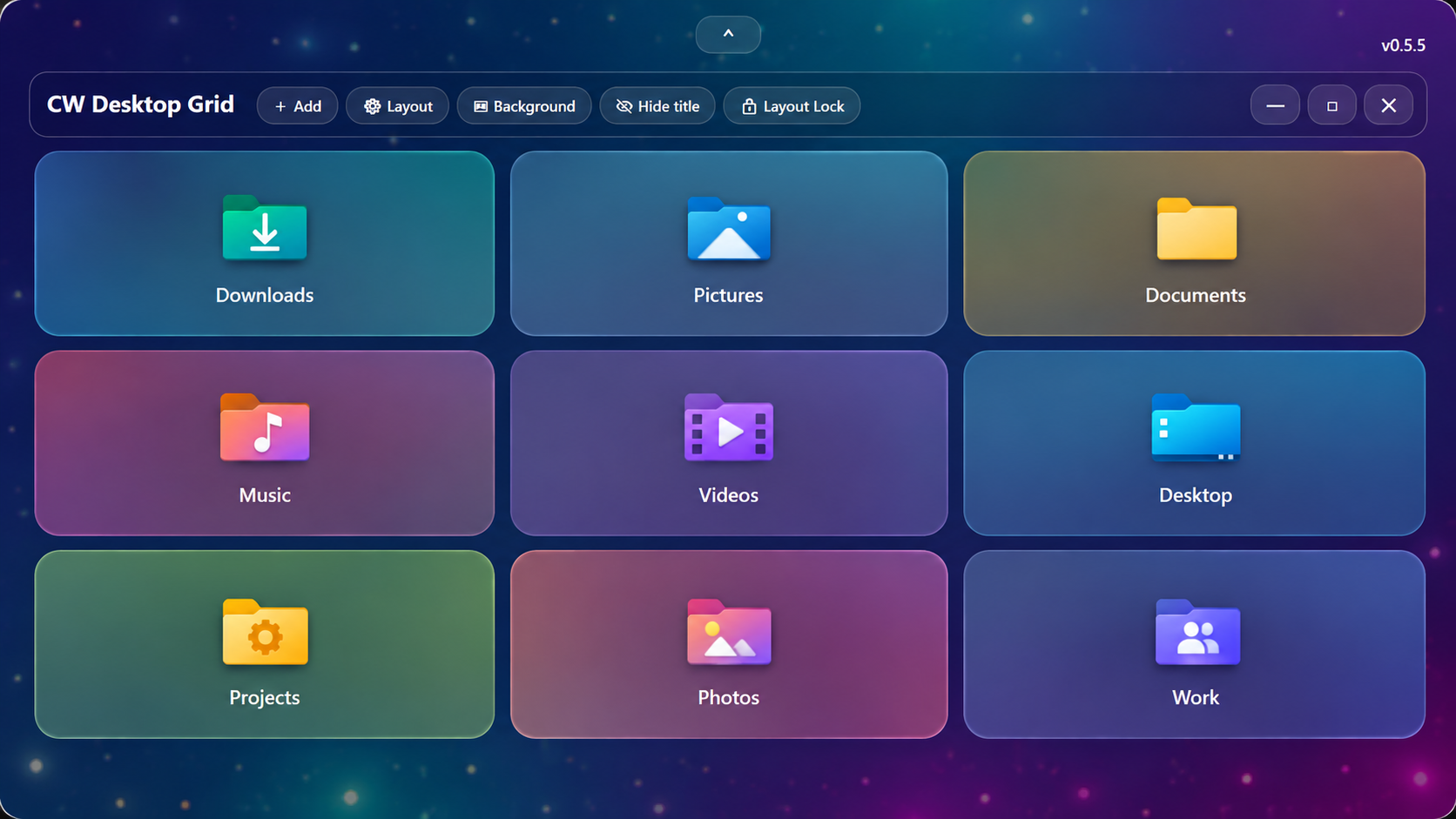
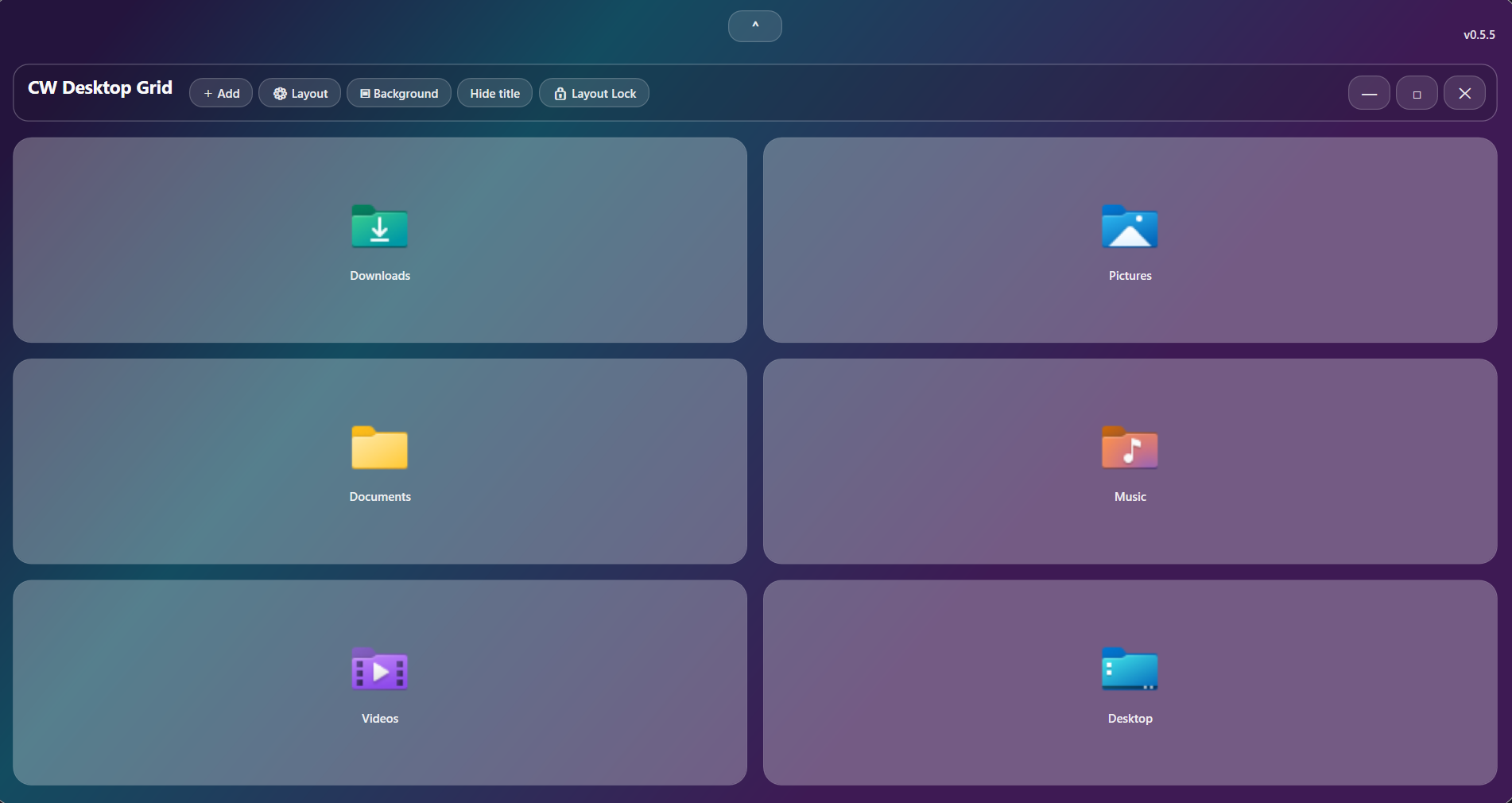
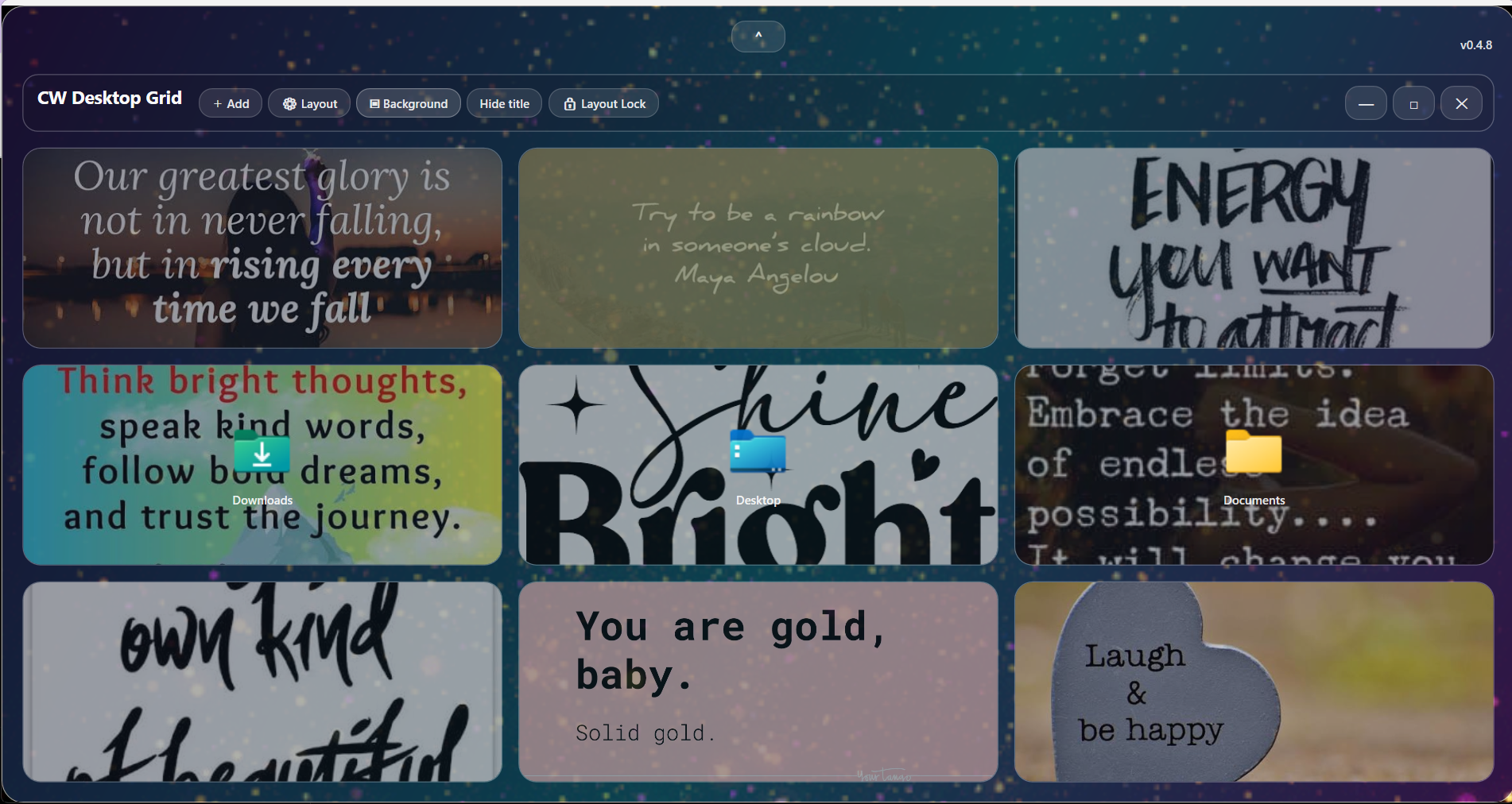
CW Desktop Grid is a customizable Windows desktop organizer designed to give you fast access to the files, folders, images, and locations you use most.
Instead of searching through File Explorer or filling your desktop with ordinary shortcuts, CW Desktop Grid lets you create a visual grid of large, easy-to-recognize tiles. Add folders to the main grid, create dedicated drag-and-drop destination folders, use images and quotes as tile backgrounds, and customize the overall appearance to match your desktop.
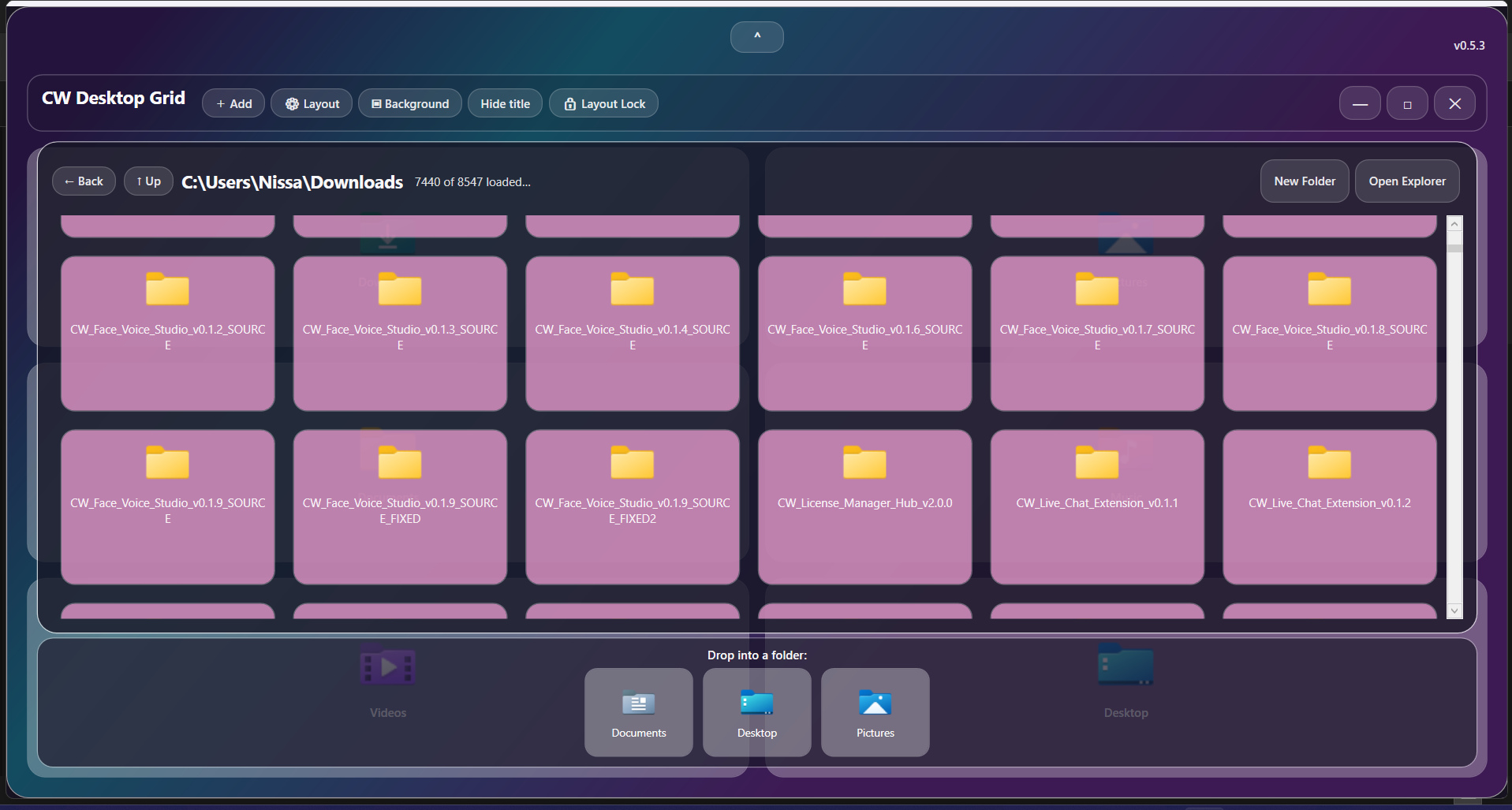
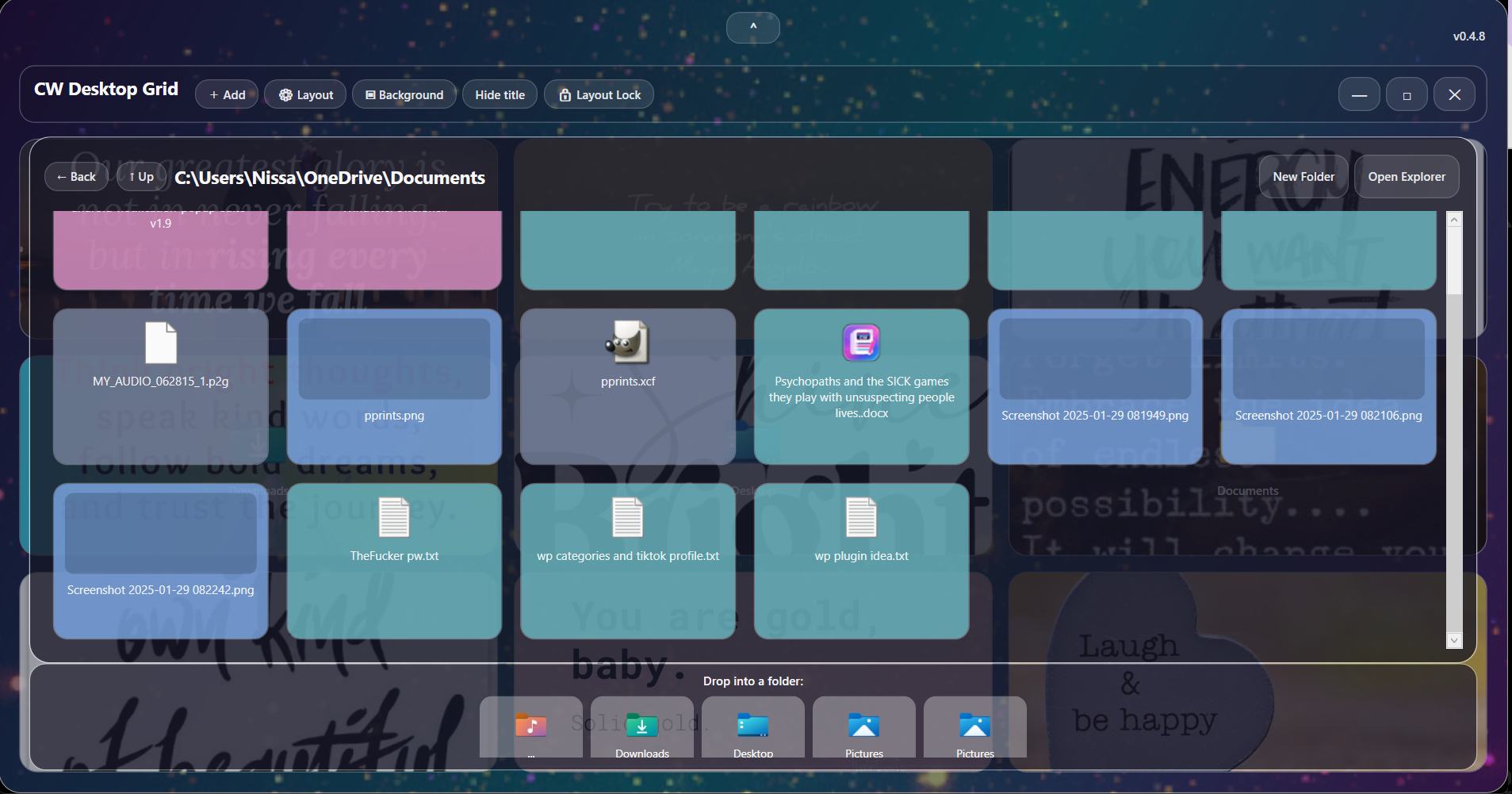
You can open folders directly inside CW Desktop Grid, browse their contents, and drag files into other saved folders without constantly switching between windows.
Key Features
- Customizable desktop grid for Windows
- Add folders, files, applications, images, and shortcuts
- Separate main grid and drag-and-drop folder row
- Open folders directly inside the grid
- Drag files into saved destination folders
- Large folders load progressively for faster opening
- File-type color identification
- Images — blue
- Folders — pink
- Applications — green
- Audio — purple
- Video — yellow
- Documents and other file types use their own colors
- Custom tile backgrounds
- Image slideshow backgrounds
- Thumbnail previews for slideshow images
- Image Fill, Fit, and sizing controls
- Adjustable icon transparency
- Show or hide tile icons and labels
- Custom tile tint and transparency
- Personalized desktop background
- Animated GIF background support
- Adjustable rows and columns
- Rounded modern tile design
- Layout lock to help prevent accidental changes
- Custom Windows installer
- Desktop shortcut
- Start Menu shortcut
- Windows uninstall support
- Designed for Windows 10 and Windows 11
Great For
CW Desktop Grid can be useful for:
- Organizing work folders
- Keeping business files close at hand
- Managing photo and video folders
- Separating frequently used project folders
- Creating an inspirational desktop with quote images
- Organizing downloads
- Quickly moving files between folders
- Reducing desktop shortcut clutter
- Creating a personalized Windows workspace
Visual Customization
Make the grid your own with custom backgrounds, photo tiles, inspirational images, colorful folder tiles, transparency settings, and personalized layouts.
Images can be displayed as full tile backgrounds, and multiple photos can be added to create rotating slideshow tiles.
Built-In Folder Browsing
Open supported folders directly inside CW Desktop Grid without immediately launching a separate File Explorer window.
For folders containing thousands of files, CW Desktop Grid begins displaying content first and continues loading additional items progressively instead of making you wait for the entire folder to finish processing.
Drag-and-Drop Organization
Create a dedicated row of destination folders at the bottom of the folder browser. Files displayed above can be dragged directly into these folders, making common file-organization tasks faster and easier.
Platform: Windows
Product: CW Desktop Grid
Current Version: v0.5.5
Delivery: Windows installer / downloadable software



Reviews
There are no reviews yet.