
Description
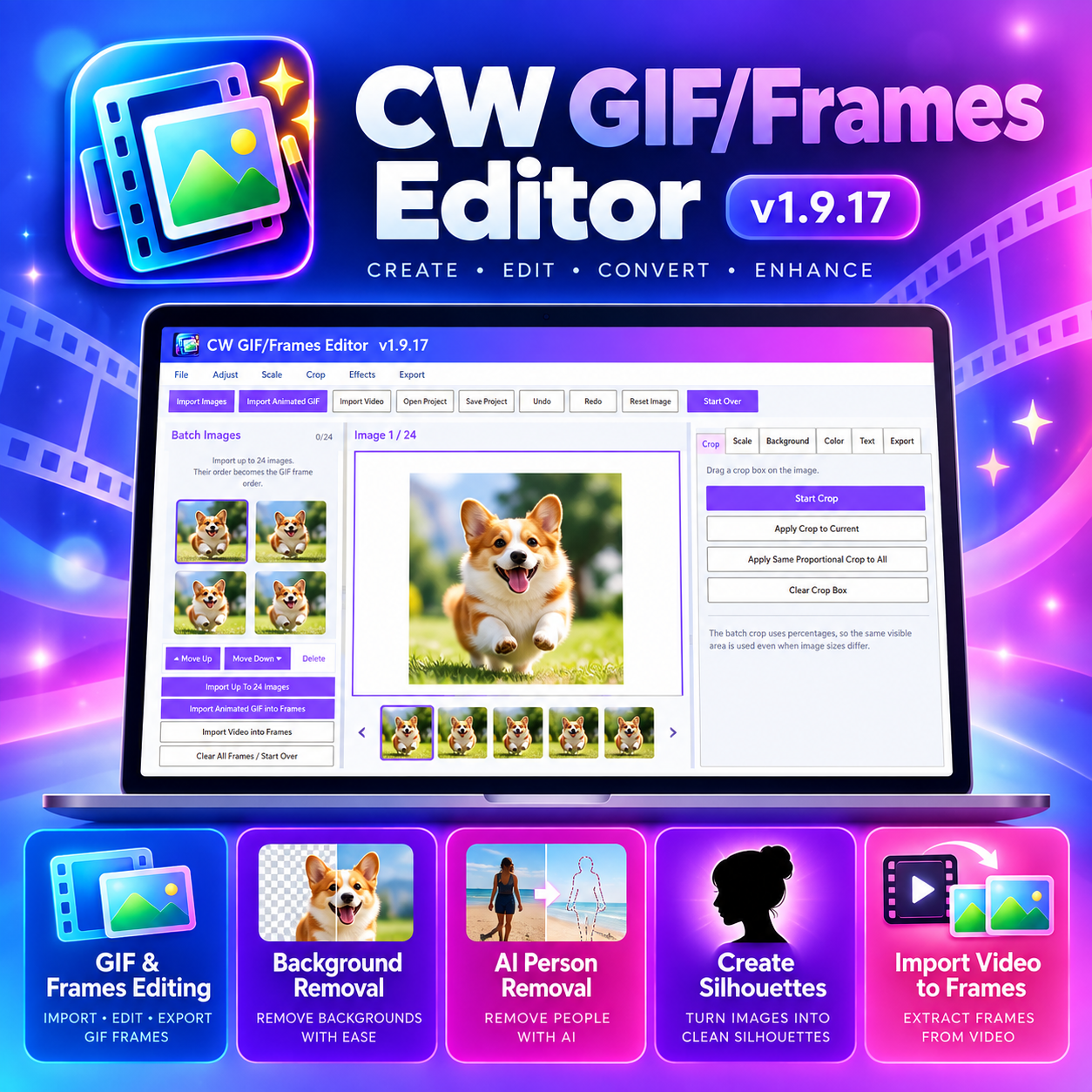
CW GIF/Frames Editor is an easy-to-use Windows desktop editor for creating, editing, cleaning up, and exporting GIFs and image-frame projects.
Import individual images, animated GIFs, or videos and turn them into editable frames. Rearrange frames, crop, resize, adjust colors, remove backgrounds, isolate people with AI Person Removal, and create silhouette-style graphics before exporting your finished animation.
Key features include:
- Import multiple images as GIF frames
- Import animated GIFs for frame-by-frame editing
- Extract frames from video
- Reorder, delete, and manage frames
- Crop and resize individual frames
- Apply proportional crop changes across all frames
- Regular background removal
- AI Person Removal for cleaner human cutouts
- Create black, white, or custom-color silhouettes
- Color and image adjustments
- Add and edit text
- Undo and redo
- Save editable projects for later
- Start over / clear all frames
- Export finished GIFs and image frames
- Windows desktop shortcut and installer support
CW GIF/Frames Editor is especially useful for creating animated graphics, transparent GIFs, social-media assets, product animations, silhouette GIFs, and frame-by-frame image projects without needing a large professional editing suite.
Current version: v1.9.17
Windows desktop application.


Reviews
There are no reviews yet.